
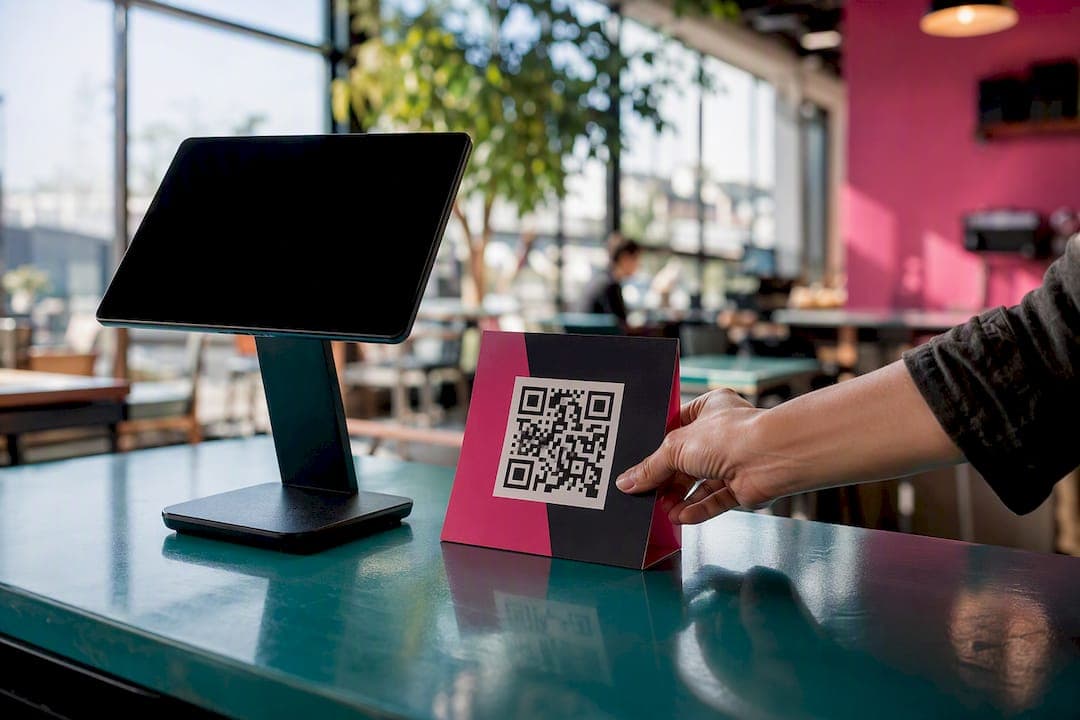
Start with a short post-purchase email that puts a direct review link first, then send one polite reminder if it goes unanswered. For service businesses, a same-day SMS beats email almost every time because it lands while the experience is still fresh. Keep the ask personal, name the product or service, and test one subject line and one CTA before you scale to your full customer list.
TL;DR:
- Sending a same-day SMS review request usually yields higher response rates than email because it catches customers while the experience is fresh.
- Review requests should include a clear link in the first sentence, a concise reason why reviews matter, and a single, specific CTA to maximize responses.
- A follow-up reminder should be sent only once, four to six days later, to avoid diminishing returns and maintain list health.
- Using personalized details such as customer name, product, or technician in the request significantly improves response rates over generic messages.
- In-person prompts with QR codes and short, targeted links outperform long URLs and paper prompts for local businesses seeking review volume.
Table of Contents
- Review Request Templates for Email: Post-Purchase, Service, and Testimonials
- SMS Templates That Get Reviews the Same Day
- Subject Lines and CTAs That Actually Get Opened
- When to Send Review Requests and How Many Reminders to Use
- Personalization Tactics That Lower the Friction to Respond
- FTC Rules and Platform Guidelines for Review Incentives
- Automation Triggers and the First Metrics to Track
- How theHive Uses Review-Driven Discovery Locally
- Why Most Review Request Advice Misses the Point
- Get Review-Driven Visibility Without Paying for Rank
- Sources
Review Request Templates for Email: Post-Purchase, Service, and Testimonials
The best review request templates share three traits: a subject line under 50 characters, a link that appears in the first sentence, and a CTA that tells the customer exactly what to do. Below are four templates built for the moments customers are most likely to respond.
1. Post-purchase email (product businesses)
Subject: How's the [Product Name] working out? Preview text: Takes 60 seconds. Really.
Hi [First Name],
Thanks for grabbing the [Product Name] last week. Leave a quick review and let other shoppers know what you think. It takes about a minute.
If something wasn't right, just hit reply first. We'd rather fix it than see a bad review.
[Your Name]
2. Post-service completion email (contractors, salons, repair shops)
Subject: Quick thanks for the [service type] job
Hi [First Name],
[Technician/Stylist Name] finished up your [specific service, e.g., "furnace tune-up"] on [date]. If you're happy with how it went, a short review helps other Windsor-Essex homeowners find us.
[Leave a review here] (2 minutes, no login hassle on most platforms)
Thanks again, [Business Name]
3. Testimonial or case-study ask
Subject: Got 3 minutes to share your story?
Hi [First Name],
You've been a customer for [timeframe] and we'd love to feature your experience. Could you record a short video (30 to 60 seconds) or write a few sentences about what changed since you started using [Product/Service]?
[Share your story]
We may feature it on our site or social pages with your permission.
4. Polite reminder (send once, 4 to 6 days after the first ask)
Subject: Still happy with your [Product/Service]?
Hi [First Name],
Just following up in case our first note got buried. If you have a spare minute, [this link] takes you straight to the review form. No pressure if now isn't a good time.
Thanks either way, [Your Name]
Each template follows the same skeleton, and you can reuse it for any scenario:
- A subject line that names the product or outcome, not the company.
- A first sentence with the review link already in it.
- One short reason the review matters (helps other customers, takes a minute).
- A single clear CTA, never two competing ones.
Swap in your own product names, technician names, and timeframes, and the review request examples above cover the vast majority of small business scenarios without needing a copywriter.
SMS Templates That Get Reviews the Same Day
Text messages get read within minutes, which makes them the strongest channel for service businesses trying to catch a customer while the experience is still top of mind. Keep every SMS under 160 characters where possible, and always include an opt-out line.
- Same-day service SMS: "Hi [Name], thanks for choosing [Business]! Mind leaving a quick review? [link] Reply STOP to opt out."
- Post-delivery product SMS (sent a few hours after delivery confirmation): "Your [Product] arrived! How's it looking? Share a quick review here: [link] Reply STOP to unsubscribe."
- Repeat-customer re-engagement SMS: "Hey [Name], it's been a while since your last visit to [Business]. We'd love your feedback on your last service: [link] Reply STOP to opt out."
A practitioner-observed pattern worth noting: a single well-timed SMS sent within hours of a positive in-person experience often outperforms email for local services, though it has to respect TCPA rules on consent and opt-out language. That means no SMS review requests without prior consent to text, and every message needs a clear way to stop future texts.
QR codes solve the "typing a long link" problem at checkout counters or on receipts, and they tend to convert better than a written-out URL for in-person prompts. If you print one on a receipt or a table tent, keep the destination page short: one review button, nothing else competing for attention. A step-by-step QR code setup can turn a paper receipt into a review request without any extra software.

Subject Lines and CTAs That Actually Get Opened
Subject lines under 50 characters win because most inboxes truncate longer ones on mobile, cutting off your CTA before the customer even sees it. Preview text is your second chance to make the case, so use it to name the time commitment or the benefit, not to repeat the subject line.
Subject line formulas that consistently outperform generic asks:
- "How's [Product Name] working out?" (curiosity, personal)
- "Quick favor?" (short, casual, high open rate)
- "60 seconds for a review?" (states the ask upfront)
- "[Name], we'd love your feedback" (personalization signal)
CTA phrasing matters almost as much as the subject line. "Leave a quick review" reads as lower effort than "Share your experience," and swapping between the two is one of the easiest A/B tests you can run. Track open rate first, then click-to-review rate, then completed reviews. If a subject line wins opens but loses on clicks, the CTA or link placement is the problem, not the subject.
Pro Tip: Run one variable at a time. Change only the subject line for a week, hold the CTA constant, and you'll know exactly which change moved the number.
When to Send Review Requests and How Many Reminders to Use
Timing determines whether your request lands while the experience is fresh or after the customer has already mentally moved on. Use these windows as a starting point, not a rigid rule:
- Same-day services (haircuts, repairs, consultations): send the SMS or email within 2 to 4 hours of completion.
- Shipped products: wait 3 to 7 days after delivery confirmation so the customer has actually used the item.
- Longer-term services (contracting, coaching, multi-day projects): send 48 to 72 hours after the final walkthrough or session.
- Reminder: send exactly one follow-up, 4 to 6 days after the first message, and stop there.
Skip or delay the ask if a customer has an open support ticket, a pending return, or a complaint on file. Asking for a review during an active problem almost guarantees a bad one, and it looks worse if the business later gets accused of ignoring dissatisfied customers. Once a batch of requests goes out, watch open rate and click-to-review rate for the first two weeks before adjusting timing again. Small sample sizes early on can be misleading, so give a new cadence at least 20 to 30 sends before changing it.
Personalization Tactics That Lower the Friction to Respond
Generic requests get generic response rates. The fix isn't more words, it's the right three or four personal details dropped into an otherwise identical template.
Define the task length explicitly. Asking for "a few sentences" or "a one-minute review" removes the guesswork that makes people put off responding, and it's one of the most repeated pieces of advice from practitioners who study review response rates. Vague asks like "let us know what you think" leave customers wondering how much effort is expected, and uncertainty kills follow-through.
- Use the customer's first name in the subject line or opening sentence, not just the greeting.
- Reference the specific product, service, or technician by name ("your Sarah did the tile work" beats "our team").
- Never write "if you loved it, leave us a review" or any phrasing that filters for positive sentiment only.
- Mention one concrete detail from the transaction (order number, appointment date, or product color) to prove the message isn't a mass blast.
Pro Tip: A line like "Mike replaced your water heater on Tuesday" reads as proof a real person is behind the message. That single detail often does more for response rates than any subject line tweak.
FTC Rules and Platform Guidelines for Review Incentives
The FTC's consumer reviews rule, effective October 21, 2024, permits businesses to offer incentives for reviews, but the incentive can't be conditioned on a positive review. Offering a discount for "a 5-star review" violates the rule; offering the same discount for "a review, positive or negative" does not.
The safest incentive structure is one that rewards participation, not sentiment: a sweepstakes entry for anyone who reviews, or a universal loyalty credit that applies regardless of star rating.
Never gate requests by only emailing your happiest customers and skipping the rest. Research on review authenticity shows that inviting a representative mix of customers produces more believable rating distributions and avoids the appearance of manipulation. On the platform side, Google's own guidance recommends replying to reviews, using direct links or QR codes, and remembering that customers must be signed into a Google Account to leave feedback at all.
Automation Triggers and the First Metrics to Track
Manual follow-up doesn't scale past a handful of customers a week, which is why most review requests today get triggered automatically off an event in your existing systems rather than typed out one at a time.
- Delivery confirmation triggers the product SMS or email, usually with a 3 to 7 day delay built in.
- Appointment completion in your booking software triggers the same-day service ask.
- QR codes on receipts or invoices work as a low-tech automation for walk-in businesses without booking software.
- Track three numbers in order: open rate, click-to-review rate, and published review conversion. A drop between click and published usually means the review form itself is too long.
Before rolling a new template out to your full list, test it on 20 to 30 recent customers first. If click-to-review rate beats your baseline, scale it; if not, you've only burned a small batch instead of your entire customer base.
How theHive Uses Review-Driven Discovery Locally
Thehivewindsor's listing algorithm skips paid ranking entirely. Visibility comes from real community engagement and the reviews a business earns, not ad spend, which means the templates above directly affect where a business shows up on the platform. A shop that consistently collects reviews through a well-timed SMS or a QR code on the counter climbs the same way a shop with a bigger marketing budget can't buy its way past.
For hands-on setup detail, how local businesses turn a QR code into a review pipeline and practical review-collection tactics specific to Windsor both walk through the exact mechanics business owners on the platform have used to build review volume without spending on ads.
Why Most Review Request Advice Misses the Point
Most guides on this topic treat every business the same way: send an email, wait, hope. What the research actually supports is narrower and more useful. Timing beats wording almost every time. A perfectly written email sent ten days after a forgettable transaction underperforms a mediocre text sent two hours after a great one.
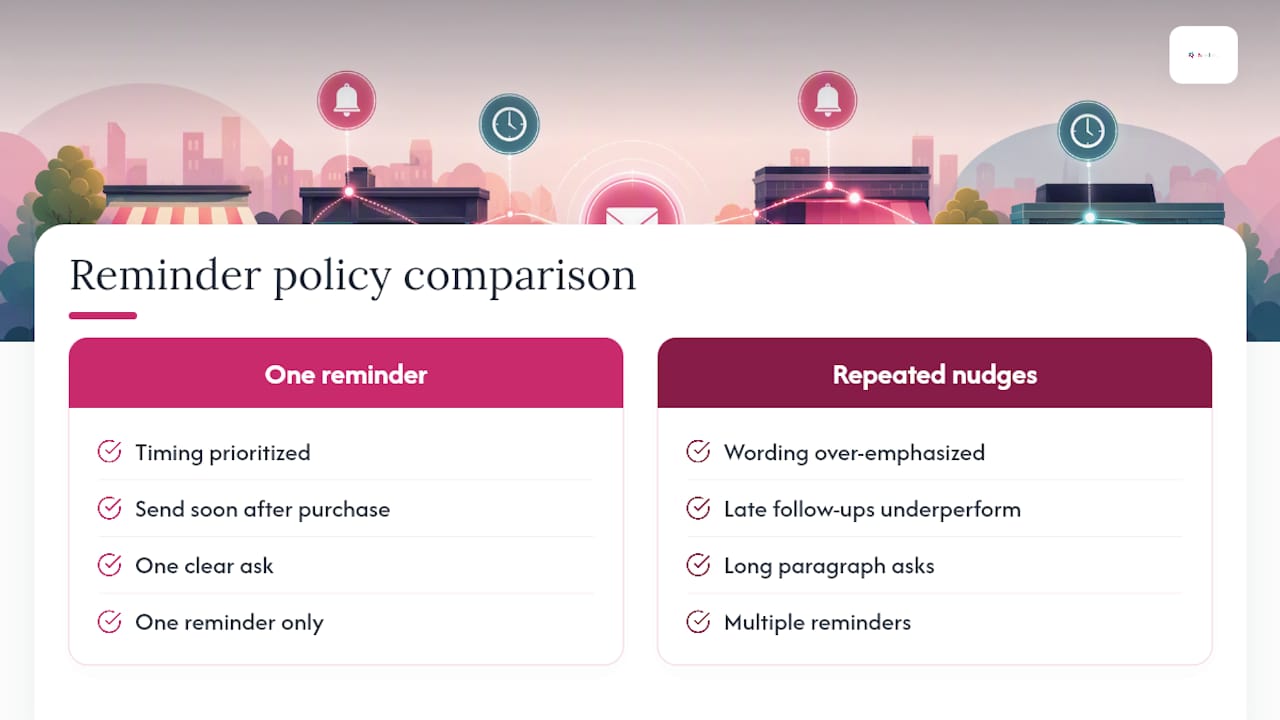
The conventional advice oversells personalization templates and undersells restraint. One reminder, not three. One clear ask, not a paragraph explaining why reviews matter to your business. Customers don't need to understand your marketing goals. They need to know exactly what to click and how long it will take.
If you do one thing differently after reading this, make it the reminder policy. Businesses that chase unresponsive customers with repeated nudges see diminishing returns and occasional unsubscribes. Businesses that send once, remind once, and move on tend to keep their list healthy and their review velocity steady over months, not just during a single push.
— randy
Get Review-Driven Visibility Without Paying for Rank
Thehivewindsor is the alternative to paid search ads for getting found in Windsor-Essex: your ranking comes from the reviews and community engagement customers give you directly, not from how much you spend on ad placement. Every review your customers leave through the templates above feeds straight into the discovery algorithm, so the same-day SMS or post-service email you send tonight can start moving your listing tomorrow.
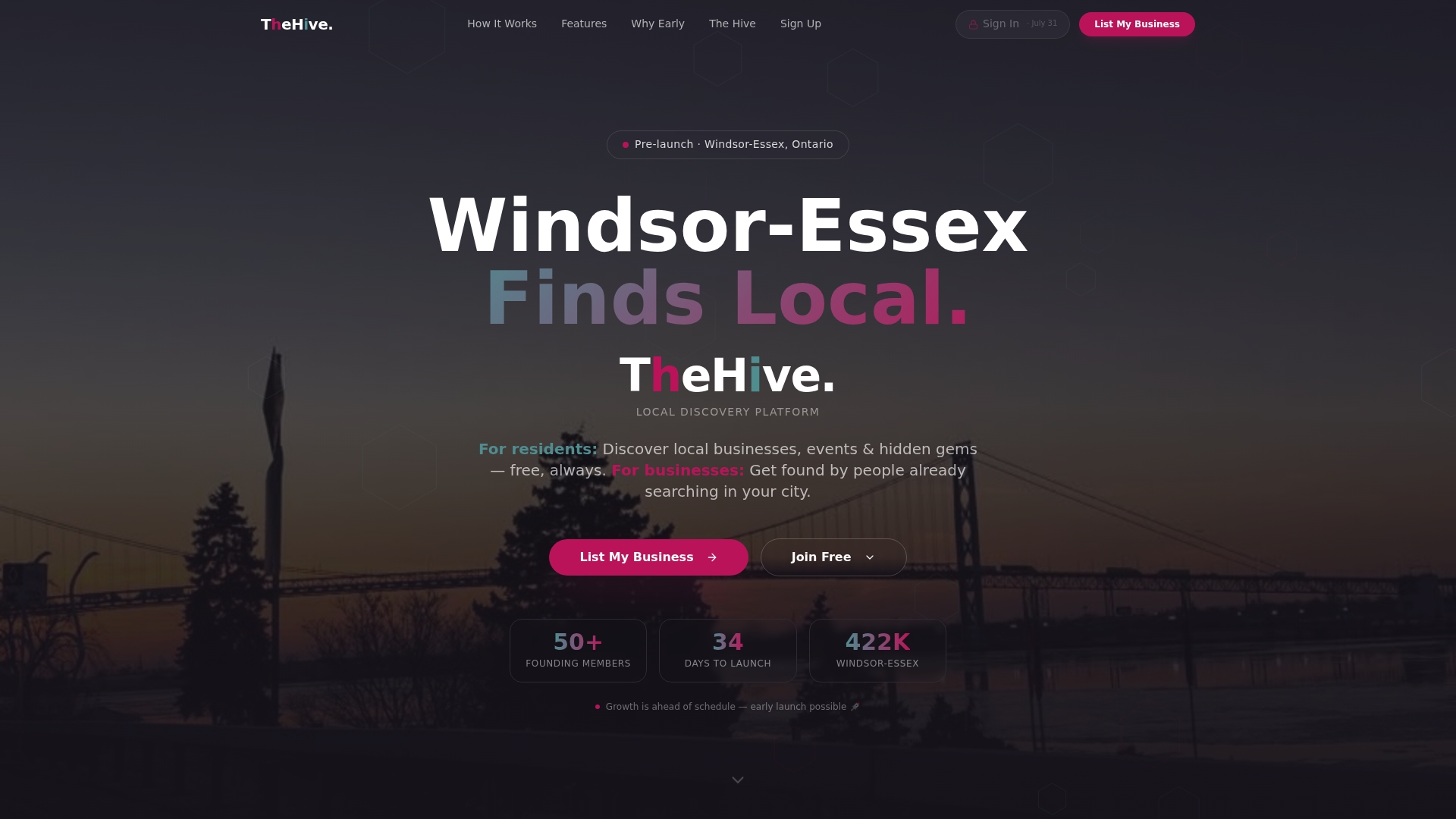
The platform also gives you event listings, referral rewards, and networking tools for freelancers and startups, all in one place instead of scattered across five different apps. Businesses that have been part of the Windsor-Essex community for decades use it right alongside brand-new side hustles, because the ranking system treats real customer love the same way regardless of budget. Sign up and claim your listing to start turning the reviews you collect this week into local visibility, or check the full feature breakdown first if you want the details before you commit.
Sources
- FTC — Consumer reviews and testimonials rule: questions & answers
- Review generation: How to encourage customer reviews (Shopify)
- Tips to get more reviews - Google Business Profile Help
- How to Ask for Reviews (With Examples & Templates!) - WordStream
- Harvard Business School faculty insights (review-related research)