
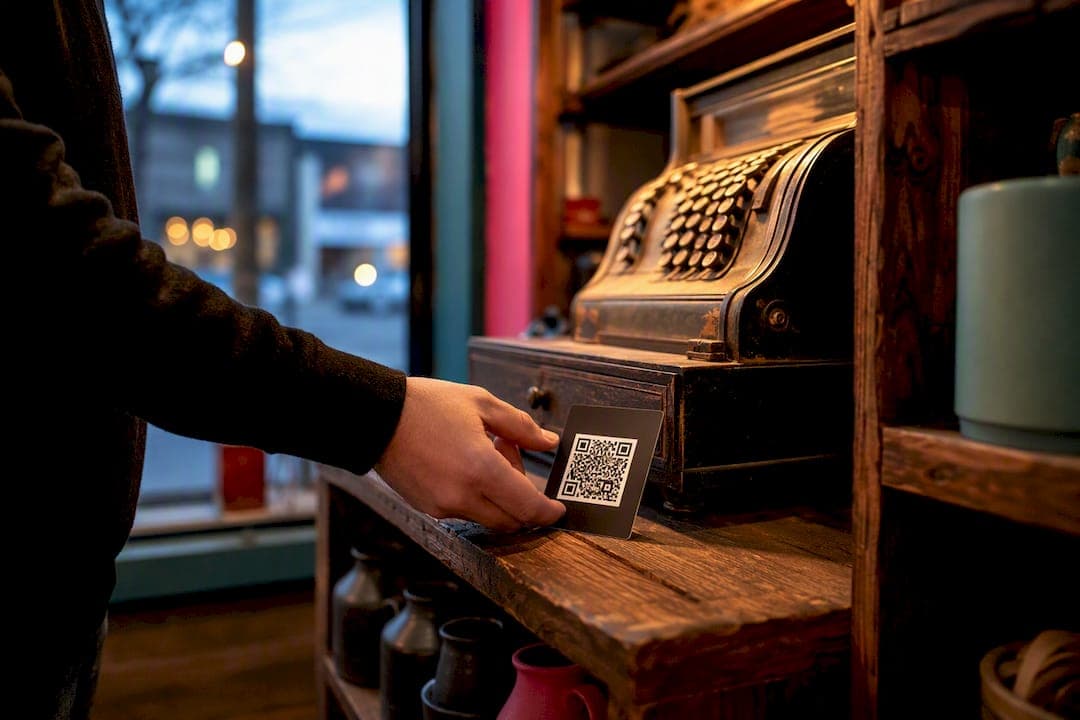
Create a dynamic QR that opens the Google review composer for your Windsor‑Essex location. That's the single fastest way to start collecting authentic local reviews, and you can have one live before your next shift starts.
Three things matter today: the link, the code, and the placement.
- Grab your Google Business Profile "Get more reviews" short link (the g.page format) or build a placeid writereview URL if you don't have dashboard access.
- Generate a dynamic QR code pointed at that link, not a static one, so you can redirect it later without reprinting anything.
- Place it where people pay or wait: the counter, the check presenter, the receipt.
- Test it on an iPhone and an Android phone before it goes anywhere near a customer.
Everything below explains why those four steps matter, and how to avoid the mistakes that quietly tank scan rates across Windsor‑Essex storefronts.
Key Takeaways
A working QR review system for Windsor‑Essex businesses depends on a direct Google link, a dynamic code you control, consistent placement at payment points, and asking every customer the same way.
| Point | Details |
|---|---|
| Use the right URL format | Copy your g.page short link or build a placeid writereview URL, never a generic Maps share link. |
| Choose dynamic over static | Dynamic QR codes let you repoint the destination and track scans without reprinting anything. |
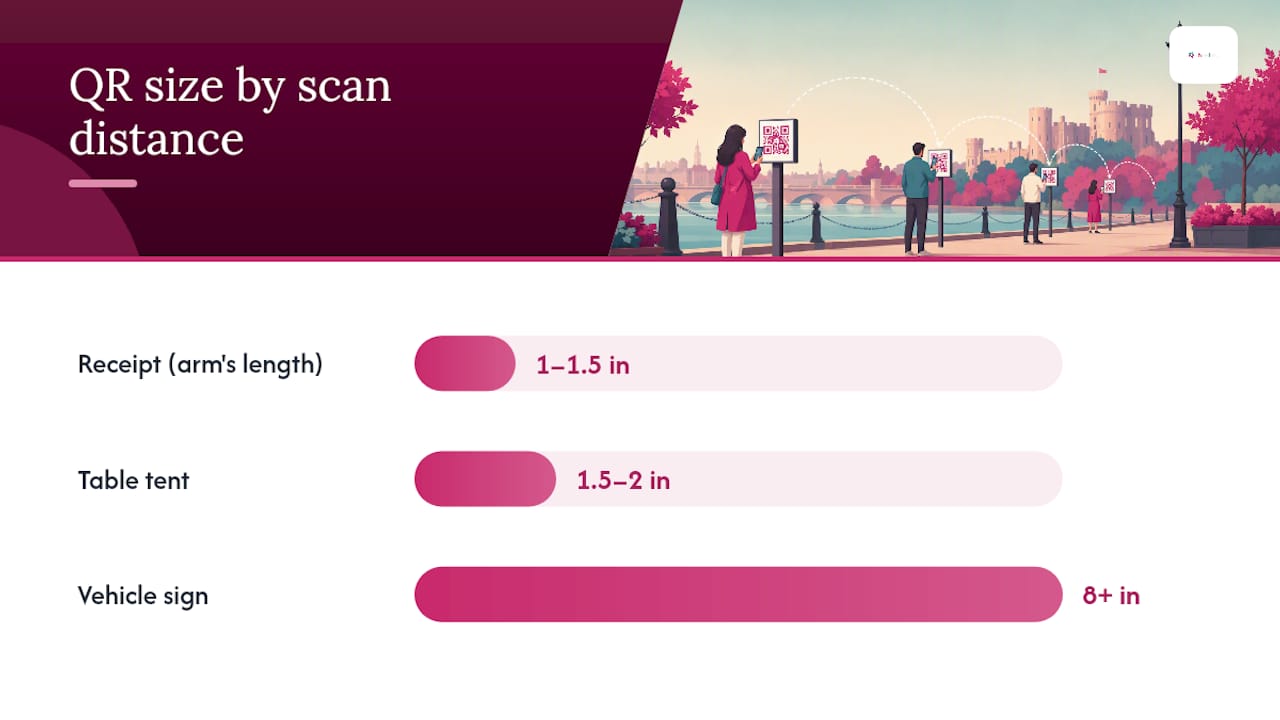
| Match size to placement | Use 1 to 1.5 inches for receipts, 1.5 to 2 inches for table tents, and 8-plus inches for vehicle signage. |
| Ask everyone, gate no one | Review gating violates Google and FTC policy, so train staff to request reviews consistently. |
| Pair QR growth with local discovery | Thehivewindsor's community-ranked listings amplify reviews collected through your QR campaign. |
Table of Contents
- Find and Verify the Right Google Review URL for Your Windsor Location
- Static or Dynamic QR: Why Persistence Matters More Than Price
- Where to Put the QR and What the Text Should Say
- The Rules Every Windsor Business Owner Needs to Follow
- What to Track and How to Fix a QR Code That Isn't Working
- How theHive Windsor‑Essex Amplifies Your QR Review Strategy
- Connecting Your QR Codes to Receipts, POS Systems, and Signage
- Handling Google, Yelp, and Facebook Reviews Without Spreading Yourself Thin
- What a Real QR Review Campaign Looks Like in Windsor-Essex
- Telling Customers What Happens When They Scan
- Step-by-Step: Generating Your QR Code From Scratch
- Sources
Find and Verify the Right Google Review URL for Your Windsor Location
Most QR codes fail before they're even printed, because they point to the wrong link. A generic Google Maps share URL forces the customer through extra taps: open Maps, find the business, scroll to reviews, tap "write a review." Half of them quit before they finish. The direct short-link or placeid format skips straight to the review composer, which is why it converts far better than generic Maps links.
Here's how to get it:
- Sign into your Google Business Profile dashboard and open your Windsor‑Essex location.
- Click "Get more reviews" and copy the g.page short link Google generates for you.
- No dashboard access (common for newer staff or multi-location managers)? Use Google's Place ID Finder tool to pull your unique Place ID.
- Build your own link using the format
search.google.com/local/writereview?placeid=<PLACE_ID>, swapping in your actual ID. - Paste either link into a browser on your phone and confirm it opens the review box directly, not your business's general Maps listing.
Pro Tip: Bookmark your Place ID somewhere safe, like a shared business document. You'll need it again if you ever switch QR platforms or lose access to whoever originally set up the link.
Static or Dynamic QR: Why Persistence Matters More Than Price
A static QR code is a one-way street. Whatever URL you encode gets baked permanently into that black-and-white pattern, so if Google changes its link format, or you switch review platforms, or you just made a typo, the only fix is printing new codes and throwing out the old ones.
A dynamic QR code works differently. It points to a short-link you control, and that short-link redirects to wherever you want. Change the destination anytime through your QR platform's dashboard, and every code you've already printed instantly starts pointing to the new target. Dynamic QR codes let you update the destination and track scans, while static codes cannot be changed once printed.
That difference alone justifies the small extra setup step for almost every Windsor‑Essex business.
Branded short links push the advantage further. Something like yourbusiness.link/review looks intentional and trustworthy. A raw string of random characters from a generic shortener looks like the kind of link a scam text sends you, and that visual trust gap measurably affects whether people scan at all.
Setting one up takes about ten minutes:
- Pick a QR platform or short-link service that supports redirects (many free tiers cover a single-location business).
- Point the short-link at your g.page or placeid URL.
- Generate the QR code from the short-link, not the raw destination URL.
- Test the redirect on your own phone before printing anything.
Multi-location operators and franchises see the biggest payoff here, since one branded redirect can serve every location while still tracking each separately.
Where to Put the QR and What the Text Should Say
Placement decides most of your scan rate before the customer even reads the code. Payment moments work best because the customer already has their phone out and a few idle seconds while they wait for a receipt or a bill.
Highest-converting spots:
- Bottom of the printed receipt
- Check presenter or table tent (restaurants and cafes)
- Bottom of invoices for service businesses
- Vehicle magnet or decal for mobile trades (plumbers, landscapers, mobile detailers)
- Email signature for freelancers and consultants
- Waiting area signage for salons, clinics, and repair shops
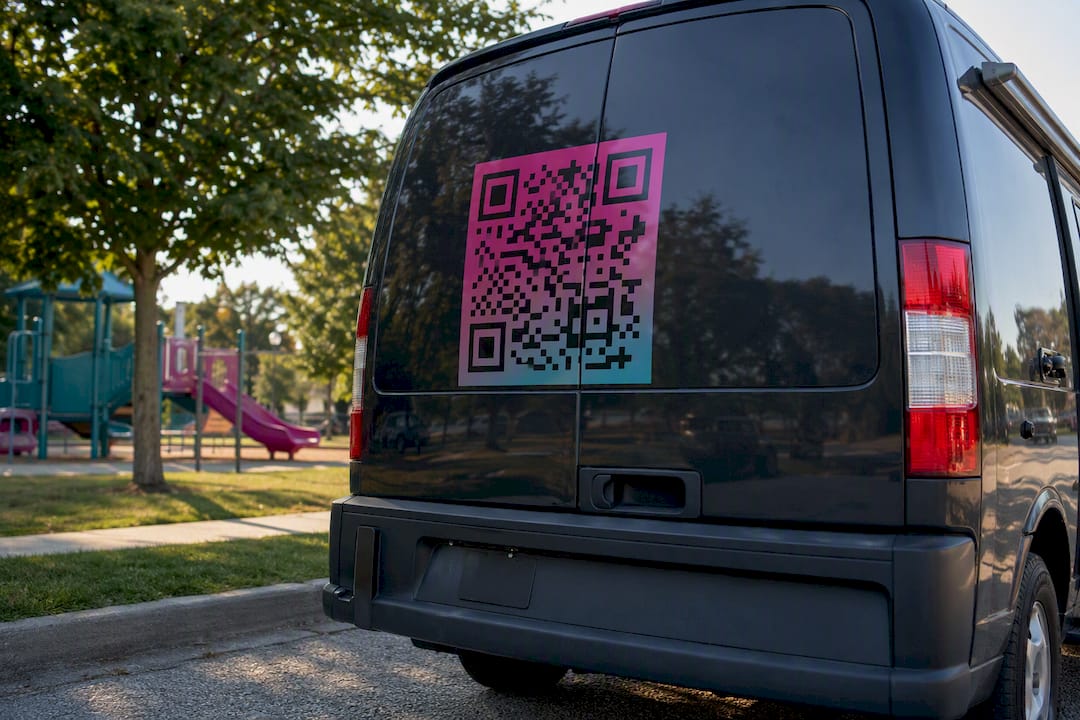
Size has a simple rule of thumb: roughly one inch of code for every ten inches of expected scan distance. That means 1 to 1.5 inches for a receipt held at arm's length, 1.5 to 2 inches for a table tent, and 8-inch or larger for a vehicle sign someone might scan from across a parking lot.
The copy around the code matters just as much as the code itself. "Scan for a coupon" invites the wrong crowd. Something like "Enjoyed your visit? Leave us a quick review, takes 30 seconds" sets a clear expectation and a low time cost. Pair the visual ask with a verbal one when you can. A quick spoken or written prompt alongside the QR converts noticeably better than a silent code sitting on a counter.
Pro Tip: Keep at least a quarter inch of blank white space around every QR code. A code crammed next to a logo or a border often fails to scan on older phone cameras, and you'll never know it's happening unless you test it yourself.
The Rules Every Windsor Business Owner Needs to Follow
Ask every customer the same way, every time. That single habit keeps you clear of the biggest legal and platform risk tied to review collection.
Review gating means only showing the QR code, or only verbally asking for a review, when you've already sensed the customer is happy. Maybe you skip the ask after a complaint, or you have a staff member quietly steer unhappy customers away from the code. It feels like common sense. It's also a policy violation.
Review gating, filtering who gets asked for a review based on their satisfaction, violates both Google's platform policies and FTC guidance on deceptive review practices, and it can result in flagged or removed reviews.
That's not a minor technicality. Selectively soliciting reviews puts your entire review profile at risk of penalty, because the practice manufactures an artificially rosy picture instead of reflecting real customer experience.
The safer model splits your feedback into two channels:
- A single public QR code that goes to every customer, no exceptions, no filtering.
- A private feedback line (a comment card, a text number, a manager's email) for anyone who wants to flag a problem before it becomes a public review.
Offering a discount or a prize for leaving a review carries the same risk, so keep the ask free of incentives entirely. Train every staff member to say the same line to every customer, and keep a simple note of when and how you're asking, useful if a dispute over review authenticity ever comes up.
What to Track and How to Fix a QR Code That Isn't Working
Three numbers tell you whether your QR strategy is working: total scans, the percentage of scans that turn into a completed review, and how each placement performs against the others.
Give every placement its own unique short-link identifier, receipt, table tent, and vehicle magnet, each with a distinct tracking code. Without that separation, you're guessing which surface actually drives reviews instead of knowing.
| Metric | What It Tells You |
|---|---|
| Total scans | Raw interest, but nothing about outcomes |
| Scan to review rate | Whether your placement and copy actually convert |
| Placement comparison | Which physical location earns the reprint budget |
Comparing scan data across placements lets you double down on whichever surface actually drives completed reviews, instead of spreading effort evenly across spots that don't perform.
When a code stops working, check three things in order: confirm the URL format is still a g.page or placeid link and hasn't reverted to a generic Maps address, test the physical code on three different phone models, and if the destination itself changed, repoint the redirect rather than reprinting the asset. A dedicated QR engagement guide covers deeper scan-tracking setups if you're running codes across several locations.
How theHive Windsor‑Essex Amplifies Your QR Review Strategy
A QR code gets you the review. What happens next is where most businesses stop thinking, and where Thehivewindsor picks up.
Thehivewindsor runs on an ad-spend-free listing algorithm that ranks businesses by community engagement and genuine reviews, not who pays the most for placement. Every authentic review your QR code collects doesn't just sit on your Google profile. It builds the reputation signal that pushes your Windsor‑Essex listing higher for people actively browsing.
- Claim your Hive Windsor‑Essex listing if you haven't already.
- Add your review QR code to receipts, table tents, or invoices as usual.
- Check your listing engagement periodically to see how review growth tracks with new discovery.
Pro Tip: Reviews you collect for Google work double duty. Mention them in your Hive listing description too, since new visitors scanning the Windsor‑Essex directory read both.
Connecting Your QR Codes to Receipts, POS Systems, and Signage
The QR code itself is the easy part. Getting it in front of customers without adding a manual step for your staff is where most setups break down.
Many point-of-sale systems, including common restaurant and retail platforms, let you upload a custom image or QR block directly onto the receipt template. That's the cleanest integration, because the code prints automatically on every transaction with zero extra effort from your staff. Check your POS settings for "receipt footer," "custom image," or "promotional message," which is usually where this lives.
If your POS doesn't support custom receipt images, a laminated table tent or counter card is the reliable fallback, and it has an advantage: you can swap it out seasonally without touching your point-of-sale configuration at all.
For service businesses sending digital invoices, insert the QR code (or, better, a clickable link using the same short-link) directly into your invoice template or email footer. Customers reading an invoice on their phone can tap instead of scan, which removes a step entirely.
Signage works best as a supplement, not a replacement. A window decal or counter sign catches people who didn't get a receipt, walk-in customers, event attendees, or anyone paying by tap without a printed slip. Vehicle magnets extend the same idea to mobile trades: plumbers, contractors, and mobile groomers moving through Windsor‑Essex neighborhoods daily.
Whatever combination you use, keep the destination link identical across every surface unless you're deliberately tracking placements separately. Consistency here matters more than which specific hardware displays the code.
Handling Google, Yelp, and Facebook Reviews Without Spreading Yourself Thin
Windsor‑Essex customers don't all live on Google. Some check Yelp before trying a new restaurant, others trust Facebook recommendations from local community groups, and a growing number now check theHive Windsor‑Essex listings before either.
Trying to push every customer toward every platform at once backfires. It dilutes your ask, confuses customers about where to go, and usually results in weaker numbers everywhere instead of strong numbers anywhere.
Pick a primary platform and make it the default QR destination. For most Windsor‑Essex small businesses, that's Google, since it feeds directly into Maps search and shows up first for "near me" searches. Use your receipt or table tent QR for that single primary ask, every time.
For Yelp or Facebook, a lighter touch works better: a small sticker or a line in your email signature ("Also on Yelp!") rather than a competing QR code at the same physical spot. Running two prominent codes side by side at the register usually causes decision paralysis. Customers scan neither.
If a particular platform matters more to your specific business, a boutique salon leaning on Facebook groups, a food truck living on Yelp discovery, build a second, smaller QR placement specifically for that platform, separate from your primary code. Keep the tracking separate too, so you know which platform actually earns its placement instead of assuming.
What a Real QR Review Campaign Looks Like in Windsor-Essex
A downtown Windsor coffee shop puts a 1.5 inch QR code on every receipt with the line "Loved your coffee? Tell Windsor about it, 30 seconds." That's the entire campaign: one code, one clear ask, one platform.
A mobile pet groomer working across Essex County uses an 8 inch decal on the back of the service van, timed for the moment a client waves goodbye from the driveway. The code sits at eye level for someone standing a few feet back, exactly where the sizing math says it should.
An Amherstburg event organizer running a weekend festival prints a QR code on a large poster near the exit gates, alongside a line encouraging attendees to review the event and tag participating vendors. That single placement can generate more reviews in one weekend than months of one-at-a-time counter asks, simply because of foot traffic volume.
A LaSalle contractor adds the review link to the footer of every digital invoice, with copy that reads "If we did good work, a quick review helps other LaSalle homeowners find us." Service businesses see strong results from this pairing, since the customer is already reading a document on their phone and the ask requires no extra scan at all.
None of these campaigns are complicated. What they share is specificity: one clear platform, one clear ask tied to the moment, and sizing or placement matched to how the customer actually encounters the code.
Telling Customers What Happens When They Scan
A QR code that sends someone to a review page is collecting data, even if it's minimal: the scan itself, the device type, sometimes location if the platform logs it. Windsor‑Essex customers increasingly notice and ask about this, especially since QR use exploded during the pandemic and privacy awareness followed close behind.
You don't need a legal document taped to your counter. A short line near the code covers most reasonable expectations: "Scanning takes you directly to Google to leave a review. We don't collect your personal information from this code." That single sentence answers the question before it's asked.
If you're using a dynamic QR platform that logs scan analytics, mention it plainly if a customer asks rather than treating it as a secret. Most QR tracking captures aggregate numbers, total scans, device type, general timing, not individual identity. Being upfront about that distinction builds trust rather than eroding it.
Avoid QR platforms that require the customer to enter personal information before reaching the review page. Every extra field is a reason to abandon the process, and it adds a privacy obligation you don't need for something as simple as a review request. The entire value of the QR code is speed: scan, review, done. Anything that interrupts that chain works against you twice, once on conversion and once on trust.
Step-by-Step: Generating Your QR Code From Scratch
Start with the link, not the code. Every QR generator is only as good as the URL you feed it.
- Confirm your g.page short link or placeid writereview URL works correctly on a phone browser first.
- Choose a QR platform that supports dynamic codes and short-link redirects (features to look for: scan analytics, editable destinations, custom branded domains).
- Create the short-link, pointing it at your verified review URL.
- Generate the QR code image from the short-link, selecting a high-resolution export (SVG or high-DPI PNG) for print use.
- Add a border of white space and, if the platform allows, a small logo in the center for brand recognition without blocking the scannable pattern.
- Print a test copy at the actual size you'll use, then scan it with at least two different phone models before ordering a full print run.
- Deploy across your chosen placements and note which tracking ID goes where.
A dynamic QR walkthrough covering redirect setup and tracking dashboards is worth a look if you want to compare specific platform features before committing.
A Local Platform's Take on Authentic Reviews
Windsor‑Essex is small enough that word of mouth still decides who gets tried first. A QR code just moves that same instinct online. One LaSalle bakery that started asking every customer, not just the happy-looking ones, watched its review count climb steadily within weeks. Nothing flashy, just consistency.
— randy
Ready to Turn Those Reviews Into Local Discovery?
You've got the QR code sorted. Now make sure the reviews it collects actually work for you beyond Google's page. Thehivewindsor is the difference between reviews that disappear into a search result and reviews that actively push your business higher in front of Windsor‑Essex residents browsing right now, without spending a cent on ad placement. Every review your QR code earns strengthens your standing on a platform built around community trust instead of who has the biggest marketing budget.
Combining the two takes minutes: keep your existing QR flow running, and add your Hive listing link to the same receipts and table tents. Visit Thehivewindsor to claim your Windsor‑Essex listing and start showing up for the community members already searching for what you offer.
Sources
- QR Code for Google Reviews: Step-by-Step Guide to 3x More Reviews — QR Insights
- Static vs Dynamic QR Codes — Scanova
- What is review gating? — Synup / Synpost