
A business listing profile is your business's structured online storefront — the page that controls how customers find your name, address, phone number, hours, and reviews on Google Maps, directories, and search results. Right now, three things matter most: claim and verify your Google Business Profile, confirm your name, address, and phone number are identical everywhere they appear online, and upload at least one photo before you do anything else.
- Claim your GBP: Go to business.google.com, search for your business, and click "Manage now."
- Confirm your NAP: Check that your name, address, and phone number match exactly on your website, Facebook, and Yelp.
- Add one photo today: Even a single exterior shot improves engagement before verification completes.
Key Takeaways
A complete, verified Google Business Profile with consistent NAP across directories is the single highest-impact action a local business can take for free local search visibility.
| Point | Details |
|---|---|
| Claim and verify your GBP | Go to business.google.com, claim your listing, and complete verification before optimizing anything else. |
| NAP consistency is non-negotiable | Your name, address, and phone must match character-for-character across every directory or rankings suffer. |
| Complete profiles outperform incomplete ones | Add photos, services, attributes, and a description to drive more calls, clicks, and direction requests. |
| Reviews and responses are active ranking signals | Ask every satisfied customer for a review and respond to all reviews within 48 hours. |
| Thehivewindsor for Windsor-Essex | List on Thehivewindsor for community-driven local discovery with no pay-to-rank advertising. |
Table of Contents
- What exactly is a business listing profile?
- Where do business listings actually show up?
- What are the core elements of an effective listing?
- Why do business listings matter for small businesses?
- How do you claim and verify a Google Business Profile?
- Who is actually eligible for a Business Profile?
- What optimization moves actually make a difference?
- What mistakes kill listing performance?
- How do you measure whether your listing is working?
- A 30-minute checklist you can do right now
- Why consistent listings improve your local search ranking
- The part most small business owners skip
- Thehivewindsor: local discovery without paying for your ranking
- Sources
What exactly is a business listing profile?
A business listing is a structured profile containing your NAP+W (name, address, phone, website), business hours, categories, photos, services, attributes, and customer reviews. Think of it as a standardized data card that directories and search engines read to decide whether to show your business to someone nearby.
People often confuse a listing with a citation. They are related but not the same thing:
- A listing is a managed profile you control, like your Google Business Profile or Yelp page. You log in, update it, and respond to reviews.
- A citation is any online mention of your business, whether or not you control it. A local news article that names your address is a citation. It contributes to your search authority even though you never touched it.
A complete business listing profile gives search engines a verified, structured data source to trust. A citation network builds the broader web of mentions that reinforces that trust. You need both, but the listing comes first because it is the one you control.
The fields that make up a strong listing:
- Name, address, phone (NAP) and website URL
- Business hours including special hours for holidays
- Primary and secondary categories (e.g., "Pizza Restaurant" as primary, "Italian Restaurant" as secondary)
- Photos and logo
- Services or menu items
- Attributes (wheelchair accessible, free Wi-Fi, women-owned, etc.)
- Customer reviews and your responses
Where do business listings actually show up?
Google is the starting point for most local searches, but your listing data travels further than you might expect. Maintaining accurate listings across multiple platforms reduces single-point risk and reinforces trust signals across the web.
| Platform | Where it appears | Best for |
|---|---|---|
| Google Business Profile | Google Search local pack, Google Maps, Knowledge Panel | All local businesses — highest priority |
| Apple Maps | iPhone Maps app, Siri search results | iOS users, high-foot-traffic retail |
| Bing Places for Business | Bing Search, Bing Maps | Desktop users, older demographics |
| Yelp | Yelp app and website, Apple Maps integration | Restaurants, home services, salons |
| Facebook Business Page | Facebook Search, Marketplace, Instagram discovery | Community-focused brands, events |
Google gets priority because it handles the majority of local search queries in the United States. Apple Maps matters specifically for iOS users, who often search directly from their iPhone without opening a browser. Bing Places is worth claiming because it takes about 15 minutes and reaches a desktop-heavy audience that other platforms miss.
Yelp and Facebook serve different purposes. Yelp carries significant weight in home services and food, where its review ecosystem influences decisions. A Facebook Business Page doubles as a community hub and feeds discovery through the platform's local search and Marketplace features.
One distinction worth knowing: Google offers both a Business Profile and a brand profile. The Business Profile is for local businesses that meet customers in person. The brand profile suits e-commerce businesses selling primarily online. If you run a storefront with an online shop, you can maintain both.
What are the core elements of an effective listing?
Getting the fields right matters more than most owners realize. A listing with accurate hours and five photos outperforms a listing with a perfect description but missing contact details.
- NAP+W: Your name must match exactly across every platform, including punctuation. "Main St." and "Main Street" are different strings to an algorithm. Same rule applies to your phone number format.
- Primary category: This is the single most influential field in your GBP. Choose the category that describes what your business is, not what it also does. A plumber is "Plumber," not "Home Services."
- Secondary categories: Add two or three that reflect real services. A plumber who also does water heater installation should add "Water Heater Installation Service."
- Attributes: These small checkboxes carry real weight. "Women-owned," "LGBTQ+ friendly," "outdoor seating," and "free parking" all filter into search results when customers use those terms.
- Photos: Upload an exterior shot, an interior shot, and a product or service photo at minimum. Profiles with photos receive more direction requests than those without.
- Services and products: List individual services with short descriptions. This content feeds Google's understanding of what you offer and can appear directly in search results.
- Business description: Keep it under 750 characters and lead with what you do, not your founding story.
Example micro-copy for a small bakery: "Family-owned bakery in downtown Windsor specializing in custom cakes, fresh-baked sourdough, and gluten-free pastries. Order online or walk in Tuesday through Sunday."
That's 150 characters. It names the location, the products, a key attribute (gluten-free), and the hours format. Paste a version like it into your own description today.
Why do business listings matter for small businesses?
The short answer: people who find you through a complete listing are already looking for what you sell. That is a different kind of traffic than a social media impression.
- Local pack visibility: When someone searches "coffee shop near me," Google shows a map with three business listings above the organic results. That local pack is prime real estate, and a complete, verified GBP is the entry ticket.
- Trust signals: A verified badge, recent reviews, and accurate hours tell customers you are open and legitimate before they ever visit your website.
- Direct conversions: Customers can call you, get directions, or book an appointment directly from your listing, without clicking through to your site at all.
- Insights: GBP shows you how many people searched for your business, how many requested directions, and how many called. That data costs nothing and tells you more about local demand than most paid analytics tools.
Complete listings drive more engagement than incomplete profiles, and regular updates improve both conversions and local rankings. The mechanism is straightforward: Google rewards profiles that look actively maintained because they are more likely to give searchers accurate information.
Stat to know: According to Google's own guidance, businesses with photos on their profiles receive more requests for directions and more clicks to their websites than those without photos.
How do you claim and verify a Google Business Profile?
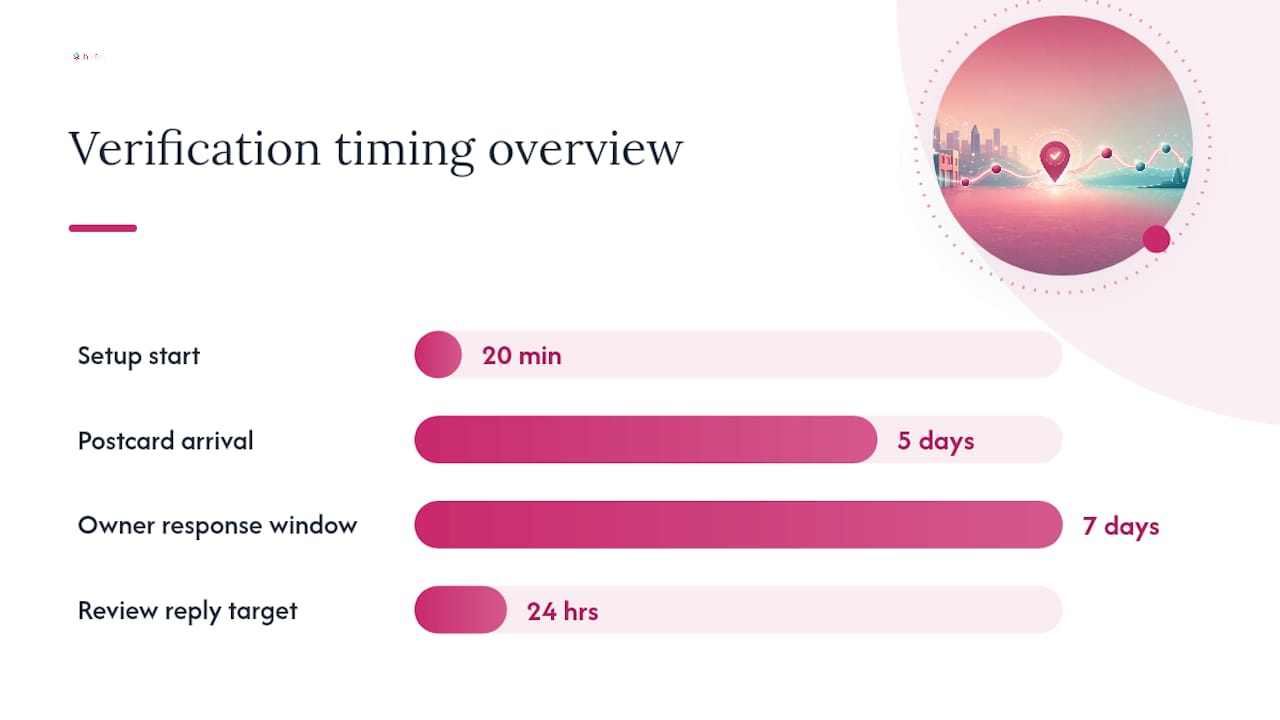
This process takes about 20 minutes to start and a few days to complete if you need a postcard. Here is the exact sequence:
- Create or sign into a Google Account associated with your business, not a personal Gmail you share with family.
- Go to business.google.com and click "Manage now." Search for your business name. If it appears, click "Claim this business." If it does not appear, click "Add your business to Google."
- Choose your business type: Storefront (customers come to you), service-area business (you go to them), or both. Service-area businesses should list their coverage area but hide their home address if they work from home.
- Select your verification method. Google offers postcard by mail (arrives in 5 business days), phone call, email, or instant verification for some businesses. Instant verification is available if your business is already verified in Google Search Console with the same domain.
- Complete verification when the code arrives. Enter it in your GBP dashboard to unlock full management.
- Post-verification: Add your hours, upload at least three photos, set your primary category, and write your business description before your profile goes live.
Ownership conflicts: If someone else verified your business, you will see an option to "Request access." Google sends the current owner a notification and gives them seven days to respond. If they do not respond, Google may transfer management to you.
Duplicate listings are common, especially for businesses that have moved or changed names. Search for your business on Google Maps and look for any old entries. You can report duplicates through the "Suggest an edit" option on the duplicate listing.
Pro Tip: After verification, set up your GBP notification preferences so you get an email whenever a customer leaves a review or asks a question. Responding within 24 hours is one of the highest-signal behaviors Google tracks for engagement.
Who is actually eligible for a Business Profile?
Google's eligibility rules are simpler than they look: your business must interact with customers face-to-face, either at a physical location or by visiting customers in a service area. Online-only businesses with no in-person contact do not qualify for a Business Profile.
Common edge cases:
- Home-based service businesses (plumbers, cleaners, tutors): Eligible. Set up as a service-area business and hide your home address.
- Co-working or virtual office addresses: Generally not eligible unless you staff the location during business hours and meet customers there.
- Rental properties and Airbnb listings: Not eligible. These are properties, not customer-facing businesses.
- E-commerce with a physical pickup location: Eligible for a Business Profile at the pickup address. Consider a brand profile for the online store side.
- Purely online businesses (SaaS, digital agencies with no client visits): Not eligible for a Business Profile. Use a brand profile instead.
If you run a hybrid business, like a bakery that ships nationally but also has a walk-in storefront, set up the Business Profile for the storefront and use your website and social channels for the e-commerce side.
What optimization moves actually make a difference?
Not all optimizations are equal. Start with the ones that affect ranking and conversion first, then layer in the engagement features.
Tier 1 (do these first):
- Set your primary category correctly. This is the single most influential ranking field.
- Confirm your hours are accurate, including holiday hours. Wrong hours are the fastest way to lose a customer permanently.
- Add a minimum of five photos: exterior, interior, team or product, and logo.
- Write a complete business description using natural language that includes your city and core service.
Tier 2 (do these within the first week):
- List every service individually with a short description and price range if applicable.
- Add all relevant attributes. Check every checkbox that honestly applies.
- Verify NAP consistency across your website, Facebook, and Yelp before you do anything else off-platform.
Review strategy: Ask every satisfied customer directly. A text message after a service call or a card at checkout with a QR code linking to your GBP review page works better than a generic "please review us" email blast. Respond to every review, positive and negative, within 48 hours. For negative reviews, acknowledge the issue, offer to resolve it offline, and keep your response under three sentences.
Pro Tip: Use Google Posts to share weekly updates, offers, or events. Posts appear directly in your Knowledge Panel and expire after seven days, which gives Google a signal that your profile is actively managed.
Boosting local visibility without paid ads is possible when you combine a complete GBP with consistent directory presence and regular community engagement.
What mistakes kill listing performance?
Most listing problems come from neglect, not bad intentions. The five most common:
- Inconsistent NAP: "Suite 4" on your website and "#4" on Yelp are different strings. NAP mismatches confuse search algorithms and suppress local rankings. Fix it by building a master spreadsheet with your canonical NAP and checking every directory against it quarterly.
- Duplicate listings: Search your business name on Google Maps every few months. Merge or report duplicates through the "Suggest an edit" tool.
- Wrong primary category: Switching from "General Contractor" to "Kitchen Remodeler" can move you from page three to the local pack for the searches that actually convert.
- Outdated hours: Update hours before every holiday, not after. A customer who drives to your location and finds it closed will not come back.
- No photos or stale photos: Add new photos monthly. Seasonal photos (a patio in summer, a cozy interior in winter) signal an active business.
Maintenance cadence:
- Weekly: Check for new reviews and respond. Scan for any Google-suggested edits to your profile.
- Monthly: Add at least one new photo. Update any service descriptions that have changed.
- Quarterly: Audit your NAP across all directories. Check for duplicate listings. Review your category selection.
How do you measure whether your listing is working?
GBP's built-in Insights panel gives you the metrics that matter most for a local business. Access it by logging into your profile and clicking "Performance."

| Metric | What it measures | What it signals |
|---|---|---|
| Search impressions | How many times your profile appeared in search results | Awareness and category relevance |
| Maps impressions | How many times your profile appeared in Google Maps | Geographic reach and proximity relevance |
| Direction requests | How many people asked for directions to your location | High-intent foot traffic interest |
| Website clicks | How many people clicked through to your website | Mid-funnel interest |
| Phone calls | How many people called directly from your listing | High-intent conversion action |
To track website clicks accurately, add a UTM parameter to the website URL in your GBP. Use something like ?utm_source=google&utm_medium=gbp&utm_campaign=listing so Google Analytics separates GBP traffic from organic search. For phone calls, a call-tracking number (through a service like CallRail) lets you attribute calls to your listing specifically.
Export your GBP performance data monthly by clicking "Download insights" in the Performance tab. Track trends over 90-day windows rather than week-to-week, since local search volume fluctuates with seasons and local events.
A 30-minute checklist you can do right now
Each task below has a realistic time estimate. Do them in order.
- Claim or verify your GBP (10 min): Go to business.google.com, find your business, and start the claim process. If already claimed, confirm your verification status.
- Fix your NAP (5 min): Open your website, Yelp, and Facebook in three tabs. Confirm your name, address, and phone number are character-for-character identical.
- Add three photos (5 min): Upload an exterior shot, an interior or product shot, and your logo.
- Write or update your business description (5 min): Use the micro-copy formula from the Key Elements section above. Lead with location, core service, and one differentiator.
- Set accurate hours (3 min): Confirm your regular hours and add any upcoming holiday closures.
- Add two services (2 min): List your two most-searched services with a one-line description each.
Days 30–60: Add all remaining services, complete your attributes, and ask your five most recent customers for a review.
Days 60–90: Claim your Yelp, Bing Places, and Apple Maps listings. Run your first NAP audit across all directories. Local directories matter more for small-town businesses than most owners realize, especially when Google's local pack is competitive.
Why consistent listings improve your local search ranking
Search engines treat your NAP as a fingerprint. When that fingerprint matches across dozens of directories, Google gains confidence that your business is real, stable, and accurately described. When it does not match, that confidence drops and so does your ranking.
NAP consistency is a foundational trust signal for local search. Subtle variations like "St." versus "Street," a missing suite number, or a toll-free number on one directory and a local number on another are enough to create conflicting signals.
Practical steps to stay consistent:
- Build a master NAP document with your canonical business name, full address (including suite format), primary phone number, and website URL.
- Use that document as the source of truth every time you create or update a listing.
- Set a quarterly calendar reminder to check your top ten directories against the master document.
- When you move or change your phone number, update every directory within the same week. Staggered updates create a window of inconsistency that can take months to recover from.
How new businesses get discovered locally follows the same logic: the businesses that show up first are usually the ones with the most consistent, complete, and actively maintained profiles across platforms.
Consistency note: Industry guidance consistently identifies NAP accuracy as one of the top controllable factors in local search ranking. A single mismatched address format across directories can suppress visibility for months.
The part most small business owners skip
Most guides stop at "claim your GBP and add photos." That is fine advice, but it misses the real lever: the relationship between your listing and your reputation over time.
A listing is not a one-time task. It is a living signal. Google watches whether you respond to reviews, whether your hours stay accurate through the holidays, whether you post updates. A business that claimed its profile two years ago and never touched it again will lose ground to a competitor who updates theirs monthly, even if that competitor has fewer reviews.
The businesses I see consistently ranking in the local pack share one habit: they treat their GBP the way they treat their front window. They keep it current, they respond when someone knocks (a review, a question), and they update it when something changes. That is not a technical SEO move. It is just good business practice applied to a digital channel.
For Windsor-Essex businesses specifically, the opportunity is real. Many local competitors have incomplete or unverified profiles. A fully optimized listing with ten genuine reviews and accurate hours will outrank a competitor with a stale, unverified profile in most local searches, regardless of how long either business has been operating.
Thehivewindsor: local discovery without paying for your ranking
Google Business Profile is the foundation, but it is not the whole picture for Windsor-Essex businesses. Thehivewindsor is the local discovery platform built specifically for this region, and it works differently from every directory you have used before: your ranking is driven by real community reviews and engagement, not by how much you spend on ads.
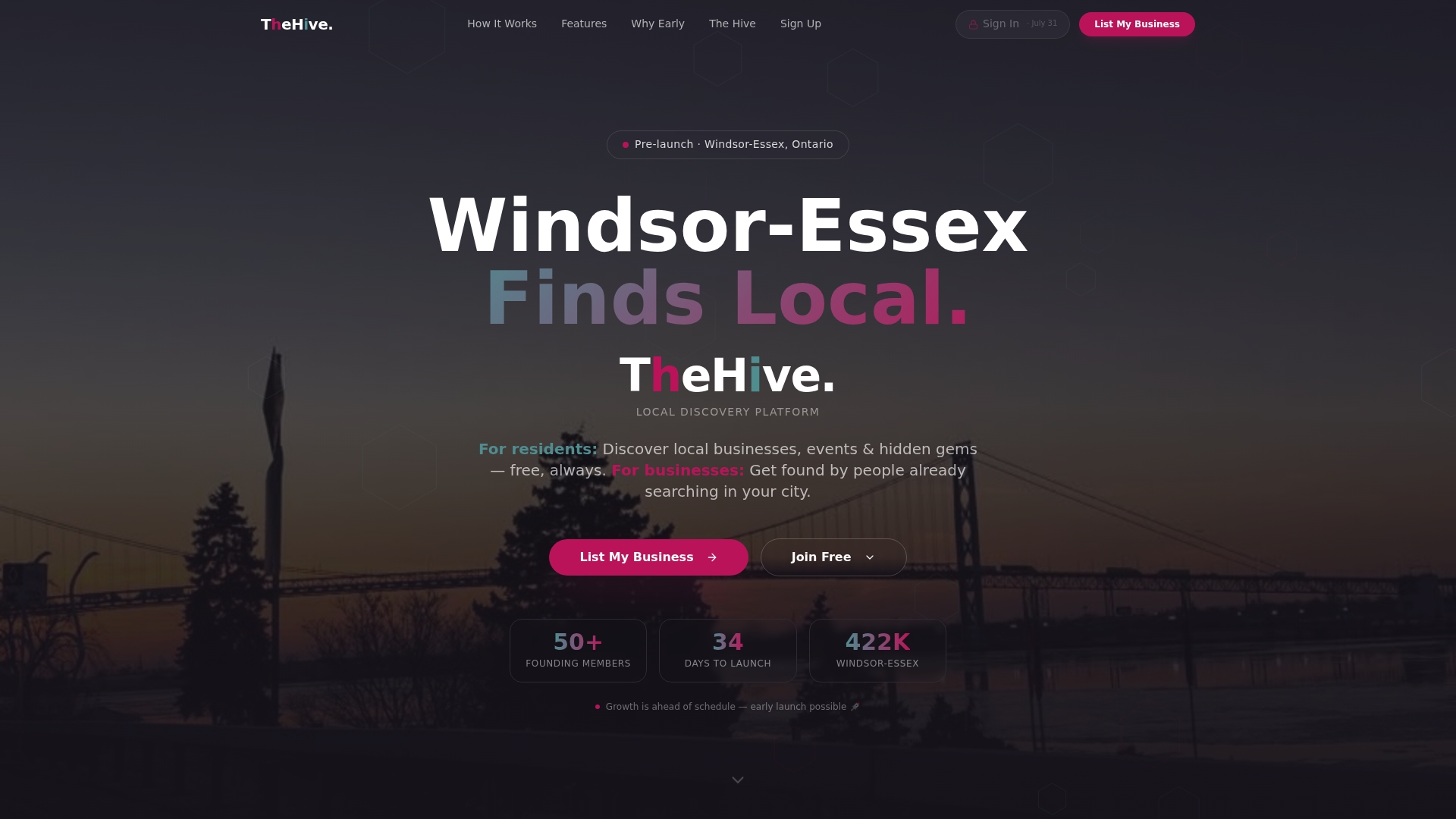
From freelancers and side-hustle creators to businesses that have been running for 40 years, Thehivewindsor puts every local business on equal footing. You get a listing, map-based zone search visibility, event and promotional tools, and a community that actually lives here. No pay-to-rank tiers. No algorithm you have to buy your way into.
If you are already working through the checklist in this article, adding a Thehivewindsor listing takes less than 10 minutes and gives you a second credible local discovery channel that Google itself cannot replicate. Create your free listing at Thehivewindsor and put your business in front of Windsor-Essex residents who are actively looking for what you offer.
Sources
These are the primary sources for setup, eligibility, and local SEO guidance referenced in this article: