
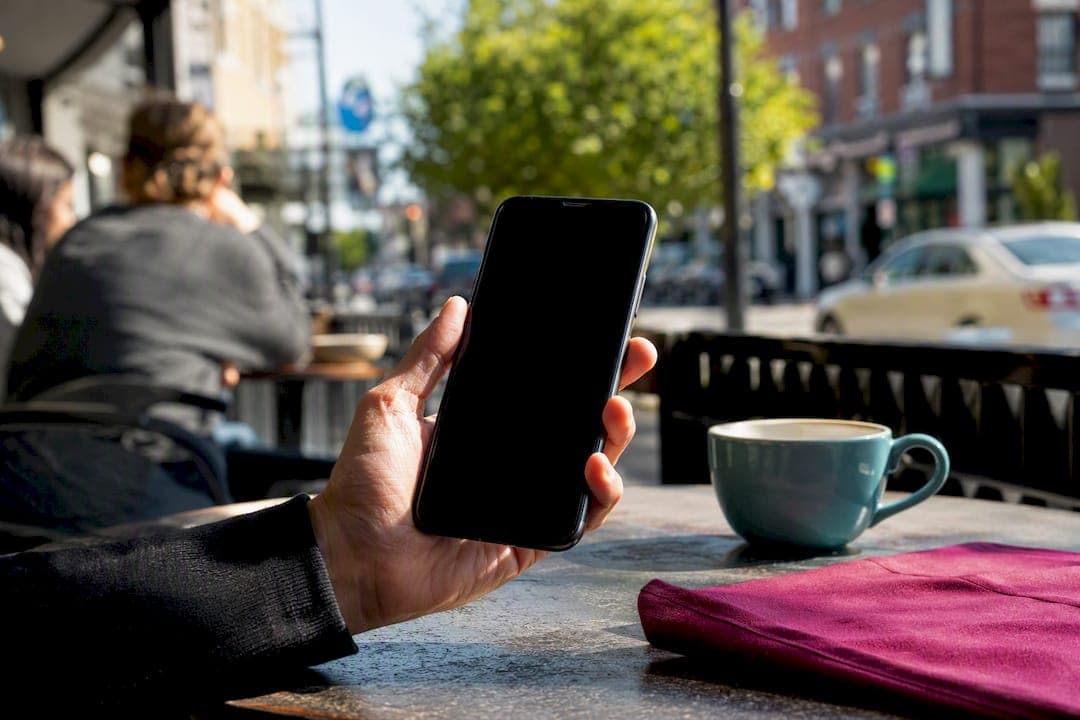
Yes, SMS is the best channel for collecting reviews from your customers, but only when you already have explicit consent to text them. The single move that matters most: send a short, personalized SMS with a direct review link inside the right timing window, then allow one polite follow-up if they don't respond. Skip the incentives, skip the guesswork, and start there.
TL;DR:
- Sending SMS review requests within 1 to 2 hours after quick services or same day for longer jobs yields the highest response rates and customer engagement.
- Ensure explicit opt-in at checkout, include a direct review link, and comply with carrier and platform regulations to avoid deliverability issues and suspendions.
- Use personalized messages under 160 characters, include one clear call-to-action, and limit follow-ups to one reminder sent 2 to 5 days later to maximize conversions.
- Track key performance indicators such as review conversion rate (8 to 20%), link click-through rate (25 to 40%), and delivery rate (above 95%) to evaluate campaign effectiveness.
- Avoid common mistakes like missing direct links, using incentives, or sending outside quiet hours, as they significantly reduce review volume and campaign success.
Table of Contents
- Why SMS Beats Email for Review Requests
- How Do US Businesses Stay Compliant With SMS Review Requests?
- When Should You Send a Review Request Text?
- Review Request Templates by Industry (Copy and Customize)
- How Many Follow-Ups Should You Send?
- Setting Up SMS Review Requests From Your POS or CRM
- What KPIs Tell You the Program Is Working?
- Common Mistakes That Kill SMS Review Campaigns
- How theHive Turns SMS Reviews Into Local Discovery for Windsor-Essex
- A One-Week Sprint to Launch SMS Review Requests
- Get Discovered Faster With theHive Windsor-Essex
- Sources
Why SMS Beats Email for Review Requests
Email review requests sit in an inbox for days. SMS gets read in minutes, and that gap shows up directly in the numbers. SMS open rates run near 95 to 98 percent, compared to 20 to 45 percent for email. That's not a small edge, it's a different category of attention.
The conversion story backs it up. SMS converts at a significantly higher rate than email for review requests, and click-through on a direct review link inside a text is notably high.
The gap in plain numbers: SMS open rate near 95-98% vs. email's 20-45%. SMS click-through on review links: 25-40%.
A few patterns worth knowing before you build a program:
- Appointment-based and local service businesses (salons, clinics, home services) see the biggest lift from SMS, since customers already expect a text after booking or checkout.
- Retail and delivery businesses benefit almost as much, especially when the text lands right after a purchase confirmation.
- B2B and high-touch professional services (law firms, consultants, agencies) tend to do better with email or a personal ask, since the relationship is longer and texting can feel intrusive.
If your customer base skips texting entirely for one of those reasons, don't force SMS. Match the channel to how the relationship actually works.
How Do US Businesses Stay Compliant With SMS Review Requests?
Getting consent right isn't optional, and it's not complicated either. It just needs to happen in a specific order, every time.
- Capture explicit opt-in at checkout or booking. Store the customer's phone number, the date they consented, and the exact method (checkbox, verbal confirmation logged by staff, or a signed intake form).
- Build in an unsubscribe path. Every message needs a way to reply STOP, and that opt-out has to take effect immediately, not at the end of the week.
- Never gate or incentivize reviews. Asking only happy customers to leave a review, or offering a discount for a five-star rating, violates most review platform policies and can get listings suspended.
- Respect quiet hours. Stick to sending between 8am and 8pm local time, and be aware that 10DLC and short-code carrier filtering can affect whether your message even lands.
- Audit consent monthly. Pull a sample of recent sends and confirm the opt-in was recorded, the opt-out worked, and no message went out to someone who never agreed to it.
Pro Tip: Treat the opt-in flag as a required field in your customer record system, not an afterthought you fill in later. A field you can't skip is a field that never gets forgotten.
None of this is about legal paranoia. It's about not torching your review pipeline the first time a customer complains to the platform you're trying to rank on.
When Should You Send a Review Request Text?
Timing decides whether your review request feels helpful or annoying, and the window is narrower than most business owners assume.
For quick, transactional services, like an oil change, a haircut, or a quick-serve meal, send within 1 to 2 hours of the visit. The experience is still fresh and the customer hasn't moved on to their next errand.

For longer services, home repairs, medical appointments, multi-day deliveries, same day or the next morning works better. Give the customer a chance to actually experience the result before you ask them to rate it.
Good trigger points to build around:
- POS checkout completion for retail and quick-service businesses
- Job completion confirmation for home services and trades
- Delivery confirmation for ecommerce and courier businesses
- Appointment end time for salons, clinics, and personal services
Never send after 48 hours. The moment fades, and so does the customer's motivation to respond. Build your automation around the customer's local time zone, not your business's, and hard-code quiet hours into the trigger logic so a 6am job completion doesn't fire off a text before sunrise.
Review Request Templates by Industry (Copy and Customize)
Every strong review request text follows the same three-part formula: a first name, a direct ask tied to your business name, and a short link that opens the review form directly, no searching required.
Keep every message under 160 characters. That length limit isn't arbitrary. Shorter messages convert better because they read as a quick, human favor instead of a marketing blast.
Retail: "Hi [First Name], thanks for shopping at [Business Name]! Mind leaving a quick review? [link] Takes 30 seconds."
Home services: "Hi [First Name], hope the [job type] turned out great! A review from [Business Name] helps other homeowners find us: [link]"
Salons and personal care: "Hey [First Name]! Loved having you at [Business Name] today. Got 30 seconds to leave a review? [link]"
Healthcare and clinics: "Hi [First Name], thank you for visiting [Business Name]. If you have a moment, a quick review helps other patients find us: [link]"
Delivery and ecommerce: "Hi [First Name], your order from [Business Name] just arrived! Would you leave a quick review? [link]"
A few notes on customization that actually move the needle:
- Test the personalization token itself. A two-week A/B test swapping first name versus no name is often the fastest way to lift click-through without touching timing.
- If a meaningful share of your customers are Spanish-dominant, send the message in Spanish. Spanish-language SMS outperforms English SMS for that audience, even when the customer is bilingual.
- Keep the message single-purpose. Don't stack a review ask with a promo code or a reminder about your next sale, that dilutes the request and looks like spam.
Pro Tip: Never ask a customer to "search for us on Google." Messages that force a search lose a large majority of potential completions compared to a direct link. The link has to open the review box, not the search results.
How Many Follow-Ups Should You Send?
Cap it at two messages total: the initial request and one polite reminder. That's it.
- Send the reminder 2 to 5 days after the first message if there's been no response.
- Sample reminder wording: "Hi [First Name], just following up. If you have a minute, we'd really appreciate a review of [Business Name]: [link]"
- The reminder isn't a throwaway step. A second message often accounts for 30 to 50 percent of the reviews a business actually captures, so skipping it costs you real volume.
- Anything past a second message reads as pressure, not a favor, and increases opt-outs and complaints.
Build the cap directly into your automation logic so no customer can be re-triggered by a second visit before the first sequence closes out.
Setting Up SMS Review Requests From Your POS or CRM
Automating this doesn't require custom software, most modern point-of-sale and scheduling systems already have the pieces you need.
- Capture the required fields programmatically. Phone number, consent timestamp, consent method, and service type should all write to the customer record automatically at checkout or booking, not get entered by hand later.
- Set trigger rules by service type. Quick services fire within 1 to 2 hours; longer services fire same day or next morning, filtered by local time zone and quiet hours.
- Test before you launch at scale. Send the message to your own phone on a few different devices and check that the link opens the review form directly, the delivery confirms, and replying STOP actually removes you from future sends.
- Build a fallback for missing numbers. If a customer only gave you an email, or their number bounces, route them to an email-based request instead of just skipping them. A combined email and SMS workflow catches customers either channel alone would miss.
Pro Tip: Test your review link on at least an iPhone and an Android device before mass sending. Broken redirects and deep-link issues are the single most common reason a technically "delivered" campaign generates zero reviews.
If you'd rather not build this from scratch, automation platforms built specifically for review requests handle the trigger logic and consent tracking for you.
What KPIs Tell You the Program Is Working?
Three numbers tell you almost everything about whether your SMS review program is healthy.
- Review conversion within 14 days: the percentage of texted customers who actually leave a review. A healthy range runs 8 to 20 percent.
- Link click-through rate: the percentage who tap your review link at all. Healthy range is 25 to 40 percent.
- Delivery rate: the percentage of texts that actually reach a phone. Anything below 95 percent points to a carrier filtering or number validation problem.
If your click-through rate looks fine but conversion is low, the review form itself is probably the problem, not your message.
Run simple A/B tests to improve any of these: one template against another, or one send-time window against another, two variables at a time, two weeks minimum, so you're not reacting to noise.
Common Mistakes That Kill SMS Review Campaigns
Most underperforming programs trace back to one of a handful of fixable errors.
- No direct link. If the message just says "leave us a review," customers have to hunt for your listing and most won't bother. Always include a one-tap URL.
- Incentives or review gating. Offering a discount for a review, or only asking customers who rated their experience highly, breaks platform policy and puts your listing at risk.
- Bad timing or too many texts. Sending outside 8am to 8pm, or sending a third follow-up, drives opt-outs faster than it drives reviews.
- Deliverability failures. If your delivery rate sits below 95 percent, check your 10DLC registration and carrier filtering settings before assuming the message itself is the issue.
How theHive Turns SMS Reviews Into Local Discovery for Windsor-Essex
Thehivewindsor ranks local listings by community engagement and real reviews, not by ad spend. That means every review you collect by text does double duty: it builds trust with the customer who left it, and it strengthens where your business shows up on the platform.
A few ways Windsor-Essex businesses can stack the two together:
- Pair your SMS review requests with an active Windsor-Essex listing page, since review velocity feeds directly into local visibility on community-focused platforms.
- Cross-promote reviews through event listings if you're running a seasonal sale or a local pop-up, review momentum tends to compound around visibility spikes.
- Keep your listing details current so the review link you're texting out matches the profile customers land on.
A One-Week Sprint to Launch SMS Review Requests
Here's the minimum viable version, built to launch in a week, not a quarter. Day one: capture consent at checkout or booking, and get a phone field into your customer record. Day two: write one template using the three-part formula. Day three: schedule the trigger around your service type's timing window. Day four: test the link on two different phones. Then just run it for 30 days and check your click-through and conversion numbers before touching anything else.
Two things to prioritize above all else: a direct review link that skips the search step, and a consent field that never gets skipped. Everything else on this list is optimization. Those two are the foundation.
— randy
Get Discovered Faster With theHive Windsor-Essex
Thehivewindsor is the shortcut between the reviews you're now collecting by text and actually getting found by new customers in Windsor-Essex. Unlike paid ranking systems where the highest bidder wins the top spot, Thehivewindsor ranks listings by real community engagement, the reviews you just spent this guide learning how to collect actually move your business up the page.
Once your SMS review requests start landing, pair them with a Thehivewindsor listing so those reviews compound into visibility instead of sitting quietly on one review platform. You can also list upcoming promotions or events alongside your profile, giving new reviews and new discovery moments a reason to happen at the same time. Set up your business listing on Thehivewindsor today and put the reviews you're already earning to work.
Sources
The benchmarks and templates above draw from TrueReview's guide to SMS review requests, Plaudit's timing and compliance breakdown, Apptoto's industry-specific templates, and MessageIQ's deliverability guidance. For Windsor-specific tactics, see how local reviews affect discovery on Thehivewindsor.
- SMS Review Requests: The Complete Guide for Local Businesses
- SMS review requests: Templates, timing, and best practices | Plaudit
- SMS Review Requests: How to Get More Reviews by Text